Emoji Font Keyboard & Themes
BG.StudioPersonalization
4.56.55K Reviews
- Version
- 71
- Installs
- 10.00M
- Age Rating
- Everyone
Screenshots
Our Review of Emoji Font Keyboard & Themes
 Analysis by Appyee
I judge a keyboard app by what happens between choosing a theme and actually sending a message. A pretty preview is easy to make; a keyboard has to feel comfortable in chats, work around ordinary typing habits, and stay out of the way when I need to reply quickly. Emoji Font Keyboard & Themes is aimed at people who want their everyday keyboard to feel more personal, with decorative text, emoji and visual customization in one place. It’s a free personalization app from BG.Studio, and its appeal is less about changing how I communicate than making the familiar act of typing feel a little more like my own.
What to expect from typing speed
I’d treat the visual options as the main reason to try it, rather than assuming a different keyboard will automatically make me faster. Decorative fonts can make a short caption or greeting stand out, but they may take more thought to choose than plain text. For quick replies, I’d keep a readable style ready and save more elaborate lettering for messages where appearance matters.
That distinction is useful if you switch between casual chats and practical writing. A themed keyboard can make a message feel warmer, but a stylized alphabet isn’t always the clearest choice for an address, a work note or a long explanation. I’d use the expressive options selectively, then return to straightforward text when speed and readability matter more.
Getting Started with Emoji Font Keyboard & Themes
First things first, installing Emoji Font Keyboard & Themes was a breeze. A quick search in the app store, a tap on the download button, and voilà! I was ready to dive in. The app's interface is pretty straightforward, so if you're not exactly tech-savvy, no worries – it's super user-friendly.
Once installed, the app guided me through the setup process. I was pleasantly surprised at how seamless it was to enable the keyboard on my device. A couple of taps, and I was all set to start exploring a world of fonts and emojis.
There is one practical choice worth making early: try the keyboard in a low-stakes conversation before using it for anything important. That gives you a chance to see how the keys feel, whether the current style is comfortable to read, and how easily you can switch back to your usual way of typing. It also makes it easier to decide which visual settings you’ll actually use rather than spending time decorating a layout you later abandon.
Exploring the Features
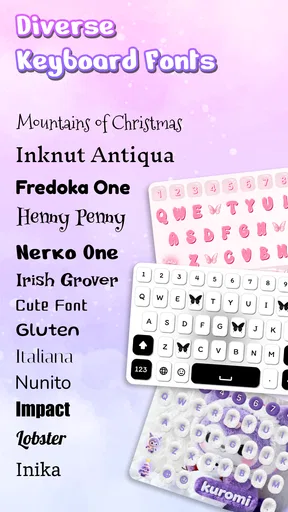
The real magic happens when you start exploring the app's features. Let me tell you, there’s a lot to unpack here. The app boasts a vast library of fonts that can transform your plain text into something eye-catching and unique. Whether you're looking to make your messages more playful or professional, there’s a font for every mood.
And then there are the emojis. Oh, the emojis! If you're an emoji enthusiast like me, you’ll find yourself spoiled for choice. From the standard ones we all know and love to some quirky and unique additions, there’s no shortage of options to express yourself.
Making the most of it during a busy day
A realistic use for the app is preparing a social post or a group-chat announcement while moving between other tasks. I’d write the message in a readable style first, then add a decorative touch only to the short phrase that needs emphasis. That keeps the message easy to scan and avoids turning every line into a visual puzzle. It’s a small workflow, but it gets more value from the customization than changing fonts indiscriminately.
For emoji-heavy conversations, the keyboard’s appeal is convenience: the expressive tools are close to the text you’re already composing. Still, I wouldn’t assume every recipient sees a special character exactly as I do. If a particular symbol or styled letter is essential to the meaning, I’d keep a plain-language version beside it. This is especially sensible for names, instructions and details that someone needs to copy accurately.
Compared with sticking to a phone’s standard keyboard, this app puts more emphasis on visual identity and playful expression. A typical keyboard is often the simpler choice when you want familiar habits and minimal setup; a font or theme app makes more sense when appearance is part of the message. I’d see them as serving different priorities, not as one being automatically better for everyone.
Customization at Its Best
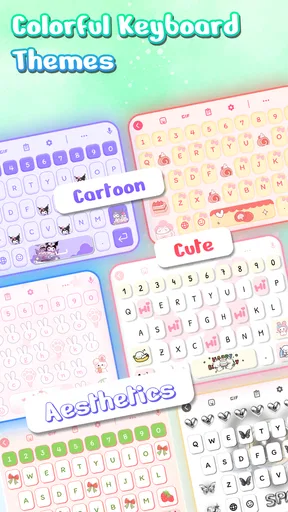
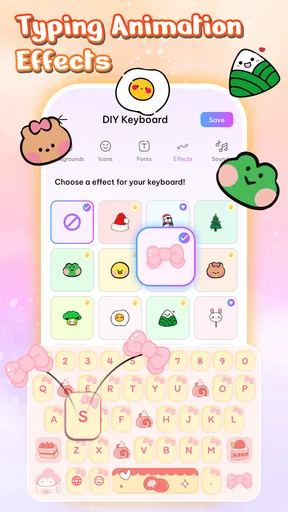
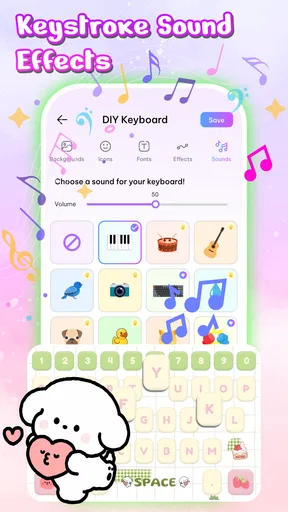
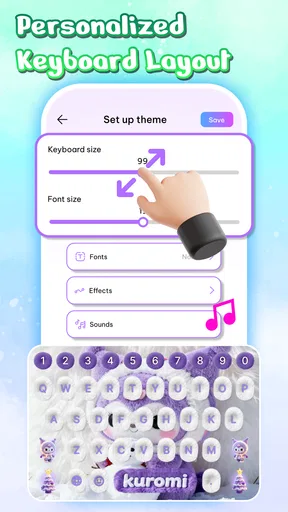
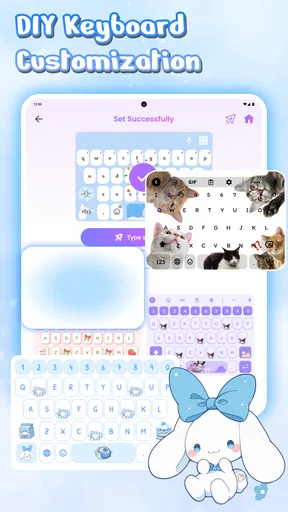
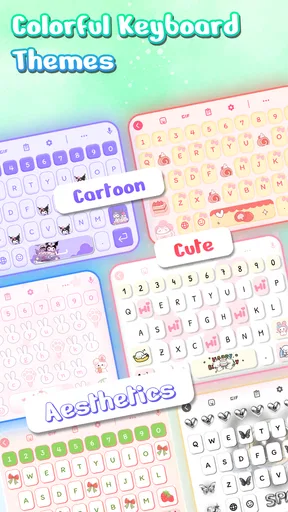
What really sets this app apart is the level of customization it offers. You can not only change fonts and use emojis but also tweak your keyboard’s appearance. I had a blast switching between different themes – one day my keyboard was a soothing pastel, and the next, it was a vibrant neon. The possibilities are endless, and it really lets your personality shine through.
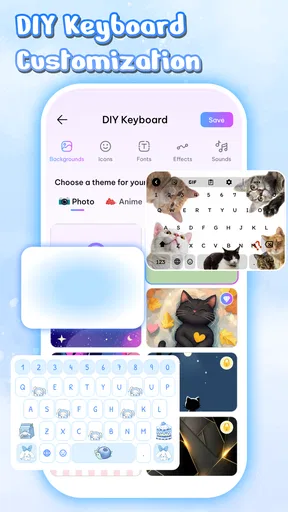
The app also allows you to create your own themes. Yes, you heard that right! You can mix and match colors, patterns, and even add your own images to create a truly personalized keyboard experience. It’s like having your own little design studio right at your fingertips.
Who will enjoy the options—and who may not
I can see this being a good fit for someone who changes their phone’s look often, enjoys decorating social messages, or wants a keyboard that feels less plain without learning a complicated design tool. Custom themes are particularly appealing if you already have a color palette or image you like and want your keyboard to echo it. A useful approach is to start with a simple theme, then add visual detail gradually; that makes it easier to tell whether the finished design is still comfortable for everyday typing.
On the other hand, I’d skip it if I’m completely satisfied with my current keyboard and rarely care about fonts or appearance. The extra choice can become friction rather than fun if I just want to type without considering styles. People who depend on a consistent, familiar layout may also prefer to keep their standard keyboard as their everyday option and use a themed keyboard only when they specifically want its look.
There’s a practical trade-off with highly decorative text, too. It can draw attention in a short caption, but it may be harder to scan in a long message or less suitable in contexts where plain text is expected. My advice is to treat expressive fonts as seasoning, not the whole meal: use them to highlight a few words and leave the rest easy to read.
Reliability in ordinary use
Because a keyboard is used inside other apps, its reliability matters more than a theme’s first impression. I’d test it in the places I actually write—such as a messaging app, a notes app and a search field—before settling on it as my default. That’s a more useful check than judging it from a single conversation, since different tasks expose different habits, from entering punctuation to switching between letters and emoji.
If a layout feels awkward or a chosen style makes text difficult to read, changing the customization is a sensible first step. If the keyboard stops feeling dependable, switching back to the device’s familiar keyboard is a reasonable fallback while you decide whether to try again. A personalization app should make typing more enjoyable, not turn a routine reply into troubleshooting.
Performance and Usability
Now, let’s talk about performance. I’ve used other keyboard apps in the past that slowed down my phone or drained my battery, but I was relieved to find that this wasn’t the case here. The Emoji Font Keyboard & Themes runs smoothly, without any noticeable lag or glitches. It integrates seamlessly with other apps too, so I had no trouble using it across different platforms.
Typing with the app is a breeze. The keys are responsive, and the autocorrect feature is surprisingly accurate. Plus, the predictive text suggestions are pretty spot-on, making typing fast and efficient. It’s like the app knows what you want to say before you even say it!
Device fit and everyday trade-offs
The app is listed for Android devices running version 6.0 or later, which gives people with older supported software a route to try it as well as those on newer phones. Even so, the experience of a keyboard can depend on how comfortable its size and visual contrast are on your particular screen. Before putting time into a custom look, I’d check that the keys remain easy to distinguish and that the theme doesn’t make punctuation or less-used controls hard to spot.
Busy moments are where I’d be most selective. When I’m replying while walking between errands or trying to send a quick confirmation, I want a layout I can use without thinking; a bright theme or elaborate font can wait. For a relaxed evening spent chatting or making a playful caption, the extra visual choice is more likely to feel worthwhile. This is a better fit for occasional creative expression than for someone who expects a keyboard to improve every typing task.
The app is free to install, with optional in-app purchases priced from $0.99 to $14.99 per item. I’d begin with the free experience and only consider paying if I’ve already found a style or customization I genuinely want. That keeps the decision grounded in actual use rather than paying simply because a large selection makes everything seem essential.
Where it fits among keyboard choices
For a person choosing between a standard keyboard and a personalization-focused one, the key question is whether visual variety will be used often enough to justify changing a familiar tool. A standard option is usually the straightforward pick for predictable typing; this app is more compelling when fonts, emoji and keyboard appearance are part of how you like to express yourself. I wouldn’t switch just for the novelty of a theme, but I would consider it if I routinely make captions, greetings or casual messages feel more distinctive.
It also helps to think about the recipient and the task. A decorative phrase can add character to a friendly note, while a plain version is usually the safer choice for instructions, contact information or text that needs to be copied. Keeping those two modes in mind prevents personalization from getting in the way of communication.
Wrapping it Up
So, what’s the verdict? If you’re looking for an app that lets you express yourself with style and flair, Emoji Font Keyboard & Themes is definitely worth trying out. It’s packed with features, easy to use, and adds a fun twist to your everyday typing experience.
Whether you’re sending a quick text to a friend or composing a long email, this app ensures your messages stand out. So go ahead, give it a shot, and let your creativity run wild. Who knew typing could be this much fun?
Its audience is broad: the app is rated for Everyone, has an average rating of 4.6 from around 122 thousand ratings, and has been installed over 10 million times. Those figures suggest that plenty of people are interested in this kind of keyboard, though they can’t tell me whether its feel will suit your hands or habits. It is currently at version 49, and BG.Studio is the developer behind it.
My practical verdict is to try it when customization is something you’ll use, not merely something you like seeing in a preview. The strongest reason to keep it is the combination of fonts, emoji and theme-making in a single keyboard; the clearest reason to pass is that a familiar, plain layout may be quicker for your daily routine. If you enjoy personalizing your phone and are willing to choose readability over decoration when the situation calls for it, it’s an easy app to explore.The best theme is the one that still lets you type comfortably.
Privacy and Permissions
See what permissions an app requests and how it handles your data.
- Wi-Fi connection information
- view Wi-Fi connections
- Other
- view network connections, full network access, control vibration, prevent device from sleeping, Google Play license check
Verdict
Strengths of Emoji Font Keyboard & Themes
- Extensive emoji library available.
- Customizable keyboard themes.
- Supports multiple languages.
- Smooth and intuitive interface.
- Regular updates with new features.
Limitations of Emoji Font Keyboard & Themes
- Contains ads that can be intrusive.
- Some features require in-app purchases.
- Occasional lag on older devices.
- Limited customization without premium.
- May require permissions for full functionality.
Similar Picks in This Category
View All
Microsoft SwiftKey AI Keyboard
SwiftKey4.3

Wallpapers
Google LLC4.1

Zedge™ Wallpapers & Ringtones
Zedge4.7

Yandex Browser with Alice AI
Direct Cursus Computer Systems Trading LLC4.3

Ringtone Maker:create ringtone
Big Bang Inc.4.7

Fonts Keyboard
Fonts Keyboard3.9
Frequently Asked Questions
What is Emoji Font Keyboard & Themes, and how does it work?
Emoji Font Keyboard & Themes is an app designed to enhance your typing experience by providing a wide variety of emojis, fonts, and themes. Once installed, it integrates with your existing keyboard, allowing you to easily switch between different styles and expressions. It's perfect for users who want to add a personal touch to their messages and social media posts.
Is Emoji Font Keyboard & Themes free to download and use?
Yes, the app is free to download and provides a substantial collection of emojis and themes at no cost. However, some premium features and exclusive themes may require in-app purchases. These optional purchases are designed to enrich your experience by offering more customization options and unique designs.
Does Emoji Font Keyboard & Themes affect my device's performance?
While Emoji Font Keyboard & Themes is designed to be lightweight and efficient, like any app, it can consume some resources. Users with older devices or limited storage might notice a slight impact on performance. It's always a good idea to monitor your device's performance and manage background apps to ensure smooth operation.
How can I ensure my privacy while using Emoji Font Keyboard & Themes?
The app prioritizes user privacy and does not collect personal data without consent. It may request access to certain device functions for optimal performance, such as keyboard settings and storage. Always review the permissions requested during installation and refer to the app's privacy policy for detailed information on data handling.
Can I use Emoji Font Keyboard & Themes across all my apps?
Yes, once installed, Emoji Font Keyboard & Themes can be used in most messaging and social media apps on your device. It integrates seamlessly with your system keyboard, allowing you to enjoy a consistent experience across different platforms. However, some apps may have restrictions on third-party keyboards, so it's advisable to check compatibility.
